
64GB SD Cards
Every full-size 64GB SD card we stock is on this page, from the SanDisk Ultra for everyday cameras and trail cameras to the UHS-II Extreme PRO for cameras built to use it. Schools, camera programs, and resellers order these in quantity from our warehouse in Lancaster, Pennsylvania. There’s no minimum, though. Buy 1 card or 1,000, and the volume price applies in the cart. Not sure which one fits your device? The guide below the products will help you pick.
Showing all 9 resultsSorted by price: low to high
-
 SD Cards
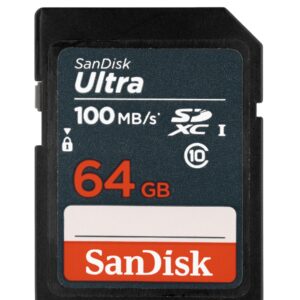
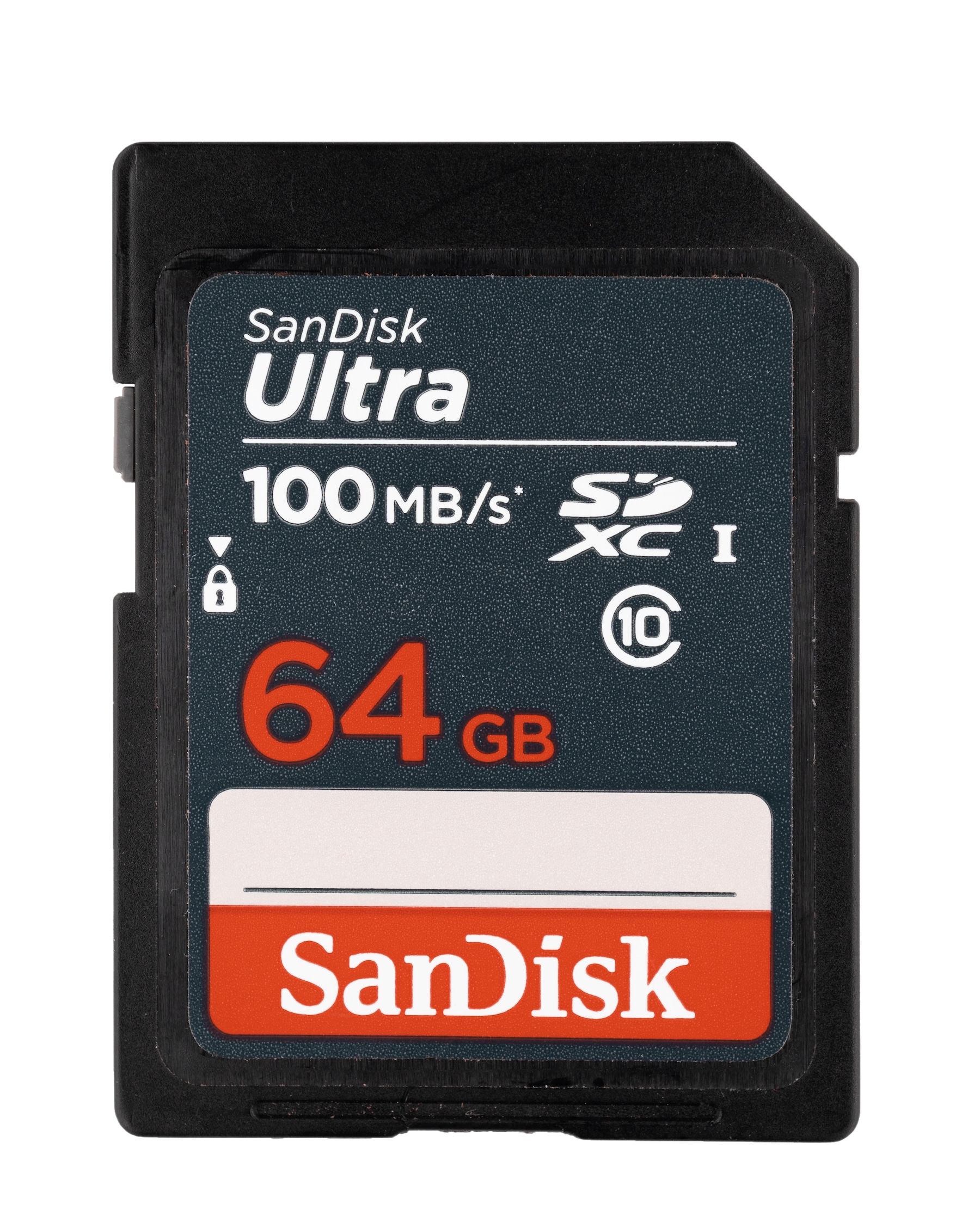
64GB SDXC Ultra Sandisk Memory Card Class 10 (SDSDUNR-064G-GN3IN)
High Quality 64GB SD Ultra SanDisk Class 10 Memory Card. This is a great economical choice for 64GB of storage for trail cameras, DSLR Cameras, Point-and-shoot, and more.
Specifications
- Model Number: SDSDUNR-064G-GN3IN
- Class: 10
- Form Factor: SDXC
- UHS BUS Speed: UHS-I
- Read Speed: Max 100MB/s
- UHS Speed Class: U1
- Video Format Capability: Full HD Video
- Operating Temperature: -13° – 185° F (-25°C – 85° C)
Water-proof, Temperature proof, X-ray proof, Shock proof
Estimated Number of Photos & Videos
JPG Photos: 17,245 photos
RAW Photos: 1,190 photos
HD Video: 850 minutes
4k Video: 170 minutes**This product comes in original retail packaging ready for resale. EBS return policy linked here.
Model # SDSDUNR-064G-GN3IN
(0 reviews)From: $18.05
(Pricing as low as $17.10) Select options This product has multiple variants. The options may be chosen on the product page -
 SD Cards
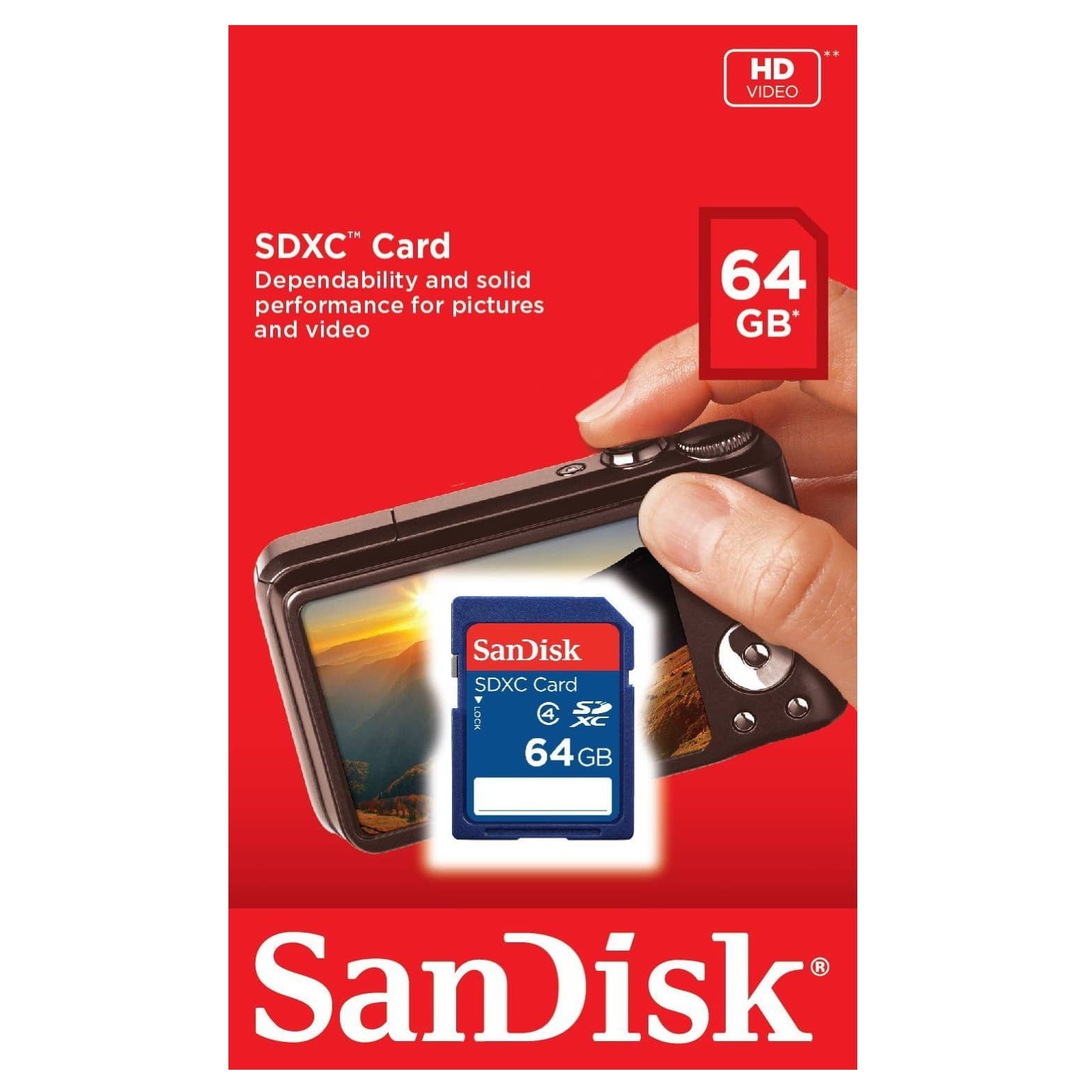
64GB SDXC Class 4 Sandisk Memory Card (SDSDB-064G-B35)
The SanDisk 64GB SD Class 4 card is an economical choice for basic photography and video. Great for trail cameras and digital cameras that accept SDXC.
Specifications
- Model Number: SDSDB-064G-B35
- Class: 4
- Form Factor: SDHC
- UHS BUS Speed: UHS-I
- UHS Speed Class: U1
- Video Speed Class: V10
- Operating Temperature: -13° – 185° F (-25°C – 85° C)
Estimated Number of Photos & Videos
JPG Photos: 17,245 photos
RAW Photos: 1,190 photos
HD Video: 850 minutes
4k Video: 170 minutes**This product comes in original retail packaging ready for resale. EBS return policy linked here.
Model # SDSDB-064G-B35
(0 reviews)From: $19.30
(Pricing as low as $18.30) Select options This product has multiple variants. The options may be chosen on the product page -
 SD Cards
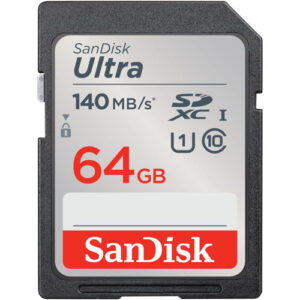
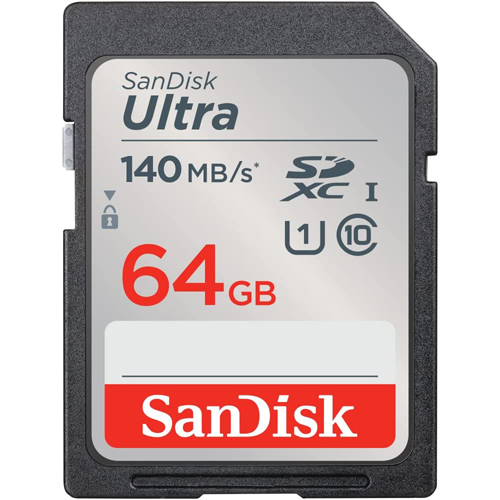
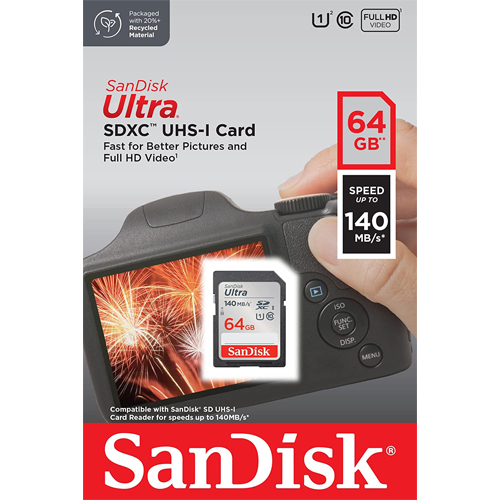
64GB SDXC Ultra Sandisk Memory Card (SDSDUNB-064G-GN6IN)
The 64GB SanDisk Ultra UNB comes in several sizes ranging from 32GB to 512GB. The 64GB SanDisk Ultra SDXC is an extended SD storage size with good transfer speeds for photo and video. This card works great with DSLRs, point-and-shoot cameras, compact cameras, other products, and more. Perfect for family photos and videos. This card is UHS-1 rated with Class 10 specification. Ideal for a wide range of uses in several products. This SanDisk Ultra card is a great memory card for almost anything. Exceptional picture quality and video performance. 64GB SanDisk Ultra UNB.
Specifications
- Model Number: SDSDUNB-064G-GN6IN
- Class: 10
- Form Factor: SDXC
- UHS BUS Speed: UHS-I
- Read Speed: Max 140MB/s
- UHS Speed Class: U1
- Video Format Capability: Full HD Video
- Operating Temperature: -13° – 185° F (-25°C – 85° C)
Water-proof, Temperature proof, X-ray proof, Shock proof
Estimated Number of Photos & Videos
JPG Photos: 17,245 photos
RAW Photos: 1,190 photos
HD Video: 850 minutes
4k Video: 170 minutes**This product comes in original retail packaging ready for resale. EBS return policy linked here.
Model # SDSDUNB-064G-GN6IN(0 reviews)From: $19.80
(Pricing as low as $18.80) Select options This product has multiple variants. The options may be chosen on the product page -
 SD Cards
REFURBISHED 64GB SD Extreme Pro Sandisk Memory Card (SDSDXXY-064G-GN4IN)
THIS IS A REFURBISHED PRODUCT
Our most powerful SD UHS-I memory card delivers maximum speed for performance, reliability, and uncompromising image and 4k UHD video quality from your DSLR, advanced digital or HD video camera transfer speeds up to 170 MB/s* move your data fast for efficient post-production workflow.
**This product comes in original retail packaging ready for resale.
Model # (SDSDXXY-064G-GN4IN)
(0 reviews) -
 SD Cards
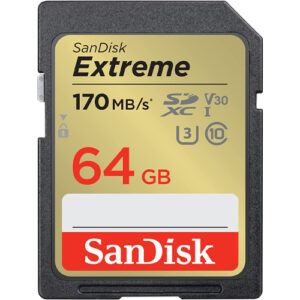
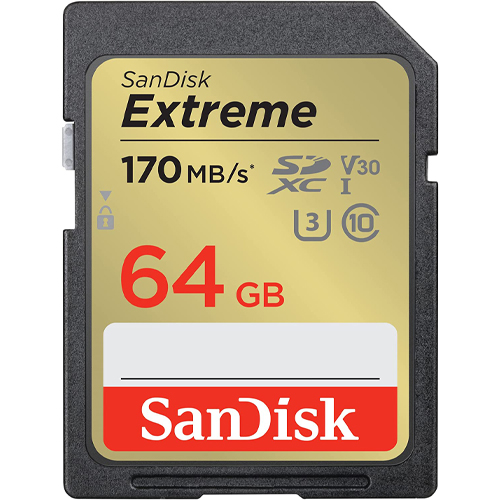
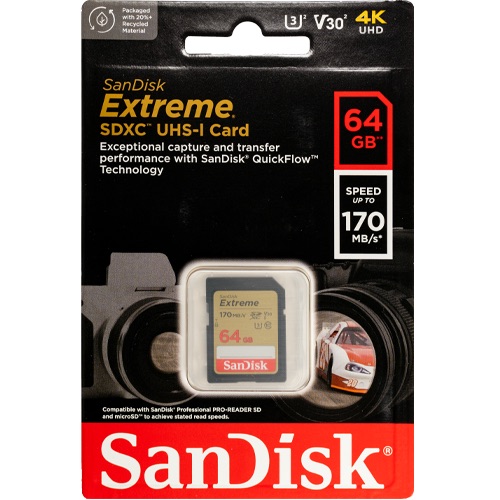
64GB SD Extreme Sandisk Memory Card (SDSDXV2-064G-GNCIN)
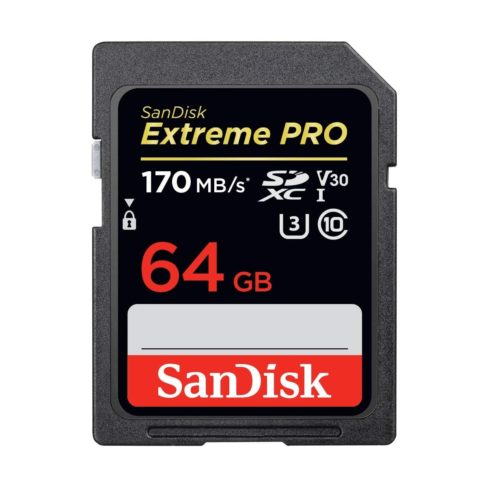
This new Extreme SD Card from SanDisk has a 64GB capacity. Super high quality speeds with a large SDXC capacity. This updated version has a 170MB/s maximum read speed. That’s more than 13% faster! Some features of this card are that it is waterproof, temperature proof, shock proof, and X-ray proof. The ideal card for all types of devices that take a full size SD Card like computers and digital cameras. The 64GB SD Extreme SanDisk card is a great choice for photographers and professionals looking for higher transfer speeds and higher quality images. Perfect for beginner to professional DSLR cameras and mirrorless cameras. You can pair this 64GB card with compatible Blu-ray players, home theaters, and more to expand the storage and hold thousands of songs and hundreds of movies. Works great with family cameras and point and shoot cameras. This card is rated for U3 and Class 10 speeds. The Extreme Pro SD card can be used for expandable storage on laptops or used to put pictures on digital photo frames. SanDisk Extreme 64GB XV2.
Specifications
- Model Number: SDSDXV2-064G-GNCIN
- Class: 10
- Format: SDXC
- UHS BUS Speed: UHS-I
- Read Speed: Max 170MB/s
- Write Speed: Max 80MB/s
- UHS Speed Class: U3
- Video Speed Class: V30
- Video Format Capability: 4K UHD
- Operating Temperature: -13° – 185° F (-25°C – 85° C)
Water-proof, Temperature proof, X-ray proof, Shock proof
Estimated Number of Photos & Videos
JPG Photos: 17,245 photos
RAW Photos: 1,190 photos
HD Video: 850 minutes
4k Video: 170 minutes**This product comes in original retail packaging ready for resale. EBS return policy linked here.
Model # SDSDXV2-064G-GNCIN
(0 reviews)From: $24.20
(Pricing as low as $22.95) Select options This product has multiple variants. The options may be chosen on the product page -
 SD Cards
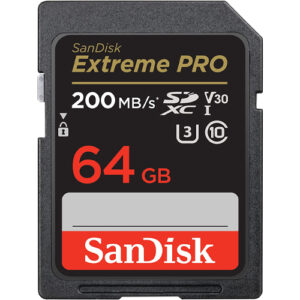
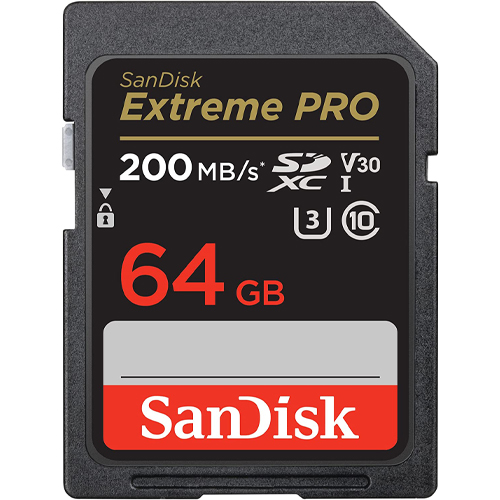
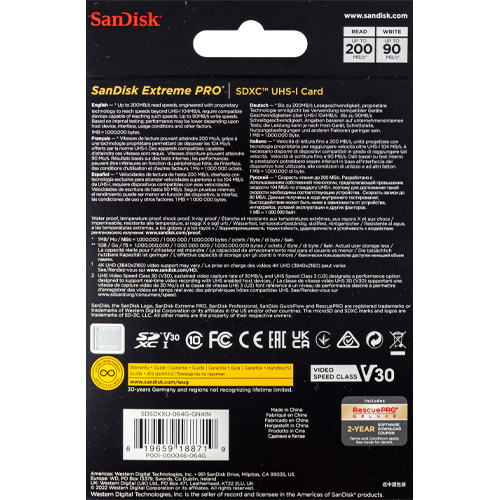
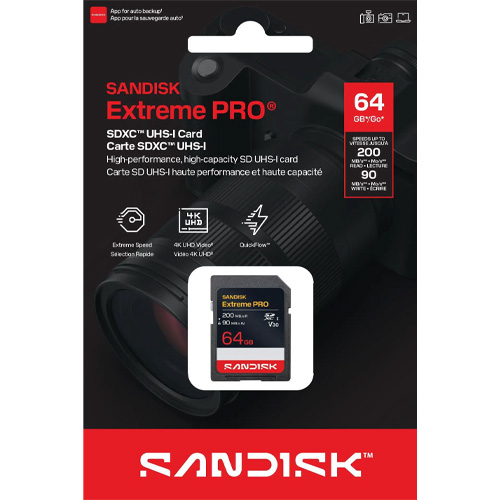
64GB SD Extreme Pro SDXC UHS-I Sandisk Memory Card (SDSDXXU-064G-GN4IN)
The new Extreme Pro SD Card from SanDisk has a 64GB capacity. This updated version has a 200MB/s maximum read speed. That’s more than 15% faster! Some features of this card are that it is waterproof, temperature proof, shock proof, and X-ray proof. Perfect for beginner to professional DSLR cameras and mirrorless cameras. Works great with family cameras and point and shoot cameras. Super high quality speeds with a large SDXC capacity. This card is rated for U3 and Class 10 speeds. The ideal card for all types of devices that take a full size SD Card like computers and digital cameras. The Extreme Pro SD card can be used for expandable storage on laptops or used to put pictures on digital photo frames. You can pair this 64GB card with compatible Blu-ray players, home theaters, and more to expand the storage and hold thousands of songs and hundreds of movies. Extreme Pro 64GB XXU.
Specifications
- Model Number: SDSDXXU-064G-GN4IN
- Class: 10
- Format: SDXC
- UHS BUS Speed: UHS-I
- Read Speed: Max 200MB/s
- Write Speed: Max 90MB/s
- UHS Speed Class: U3
- Video Speed Class: V30
- Video Format Capability: 4K UHD
- Operating Temperature: -13° – 185° F (-25°C – 85° C)
Water-proof, Temperature proof, X-ray proof, Shock proof
Estimated Number of Photos & Videos
JPG Photos: 17,245 photos
RAW Photos: 1,190 photos
HD Video: 850 minutes
4k Video: 170 minutes**This product comes in original retail packaging ready for resale. EBS return policy linked here.
Model # SDSDXXU-064G-GN4IN
(0 reviews)From: $28.95
(Pricing as low as $27.50) Select options This product has multiple variants. The options may be chosen on the product page -
 SD Cards
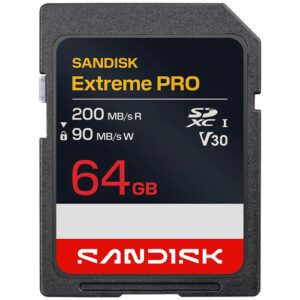
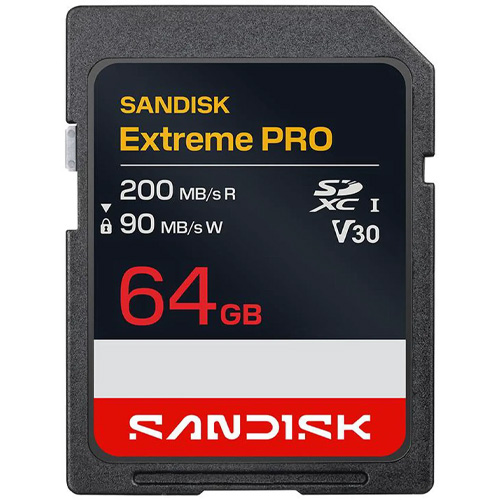
64GB SanDisk Extreme Pro SDXC UHS-I Memory Card (SDSDXXU-064G-GSCIN)
The new Extreme Pro SD Card from SanDisk has a 64GB capacity. This updated version has a 200MB/s maximum read speed. That’s more than 15% faster! Some features of this card are that it is waterproof, temperature proof, shock proof, and X-ray proof. Perfect for beginner to professional DSLR cameras and mirrorless cameras. Works great with family cameras and point and shoot cameras. Super high quality speeds with a large SDXC capacity. This card is rated for U3 and Class 10 speeds. The ideal card for all types of devices that take a full size SD Card like computers and digital cameras. The Extreme Pro SD card can be used for expandable storage on laptops or used to put pictures on digital photo frames. You can pair this 64GB card with compatible Blu-ray players, home theaters, and more to expand the storage and hold thousands of songs and hundreds of movies. Extreme Pro 64GB XXU.
Specifications
- Model Number: SDSDXXU-064G-GSCIN
- Class: 10
- Format: SDXC
- UHS BUS Speed: UHS-I
- Read Speed: Max 200MB/s
- Write Speed: Max 90MB/s
- UHS Speed Class: U3
- Video Speed Class: V30
- Video Format Capability: 4K UHD
- Operating Temperature: -13° – 185° F (-25°C – 85° C)
Water-proof, Temperature proof, X-ray proof, Shock proof
Estimated Number of Photos & Videos
JPG Photos: 17,245 photos
RAW Photos: 1,190 photos
HD Video: 850 minutes
4k Video: 170 minutes**This product comes in original retail packaging ready for resale. EBS return policy linked here.
(0 reviews)From: $29.45
(Pricing as low as $27.95) Select options This product has multiple variants. The options may be chosen on the product page -
 SD Cards
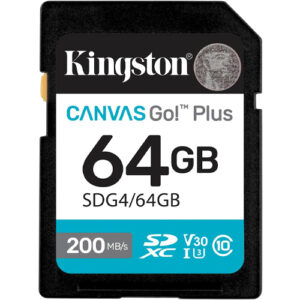
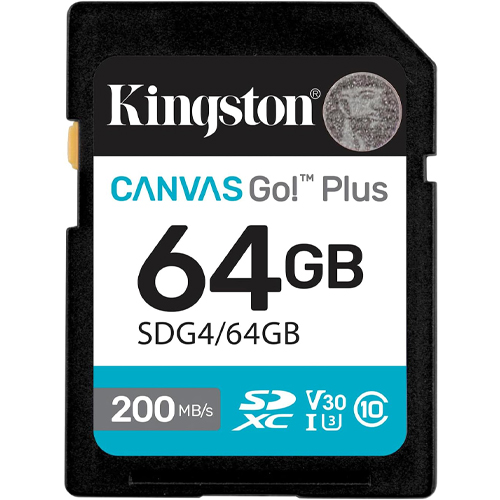
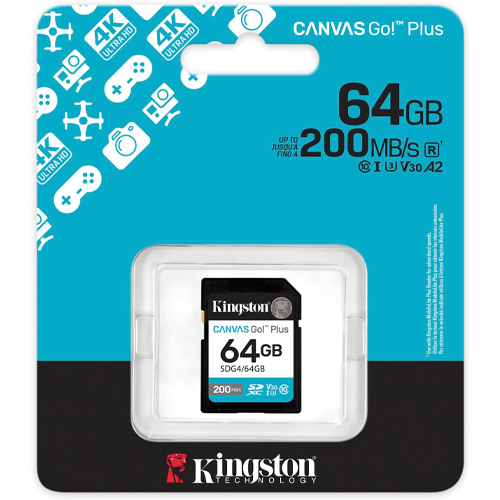
64GB Kingston Canvas Go Plus SDXC Flash Memory Card (SDG4/64GB)
64GB Kingston Canvas Go Plus! Capture your adventures at top speed with the Kingston Canvas Go! Plus 64 GB SDXC UHS-I memory card. Designed for creators using DSLRs, mirrorless cameras, and UHD video gear, this card delivers blazing read speeds up to 200 MB/s—streamlining transfers, backing up shoots, and accelerating your workflow. Optimized for fast action, its U3 and V30 speed ratings guarantee smooth 4K Ultra-HD video recording and seamless burst-mode shooting—no dropped frames or buffering to slow you down.The Class 10 certification further underscores its reliability under stress.
Engineered for rugged use, this SDXC card withstands tough shooting environments. Full durability includes protection against shocks, X-rays, and vibration. The 64 GB capacity provides a versatile balance—ample space for hours of 4K video, extensive image libraries, or full-sized media files while keeping camera kits lightweight. That makes it ideal for travel shooters, videographers, and hobbyists seeking professional performance without overloading gear. Whether you’re capturing landscapes, action footage, or high-speed photography, the Kingston Canvas Go! Plus 64 GB SDXC card delivers fast, reliable, and resilient performance—so you stay focused on creativity, not data management.
Specifications
- Model Number: SDG4/64GB
- Class: 10
- Form Factor: SDXC
- UHS BUS Speed: UHS-I
- Read Speed: Max 200MB/s
- UHS Speed Class: U3
- Video Speed Class: V30
- Video Format Capability: 4K UHD
- Operating Temperature: -13° – 185° F (-25°C – 85° C)
Water-proof, Temperature proof, X-ray proof, Shock proof, Vibration Proof
Estimated Number of Photos & Videos
JPG Photos: 17,245 photos
RAW Photos: 1,190 photos
HD Video: 850 minutes
4k Video: 170 minutes**This product comes in original retail packaging ready for resale. EBS return policy linked here.
Model # SDG4/64GB
(0 reviews)From: $35.20
(Pricing as low as $33.40) Select options This product has multiple variants. The options may be chosen on the product page -
 SD Cards
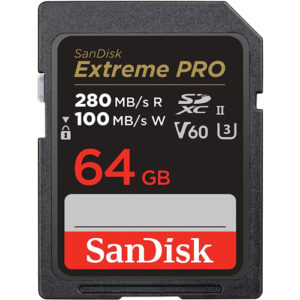
64GB SDXC UHS-II Extreme Pro Sandisk Memory Card (SDSDXEP-064G-GN4IN)
64GB SanDisk UHS-II SD card caters specifically to prosumers and professionals shooting with mirrorless and cinema cameras. This product guarantees a superior recording experience for photographers and videographers through its exceptional features and high performance.
Capture cinema-quality 6K and 4K UHD footage, supported by a Video Speed Class V60 rating, and experience the ultimate video quality. Please note that the support for HD, 4K, and 6K videos may vary based on the host device, file attributes, and other factors. The Video Speed Class 60 (V60) ensures a sustained video capture rate of 60MB/s, making it an ideal choice for real-time video recording with UHS-enabled host devices. If you are unsure whether your device is UHS-II compatible, consult the helpful list we developed for you.
Unleash your creativity with the 64GB SanDisk UHS-II SD card, which boasts remarkable capability in capturing continuous high burst mode and high data rate video. With shot write speeds reaching up to 150MB/s, you will never miss a moment, effortlessly capturing stunning shots.
Say goodbye to lengthy data transfer times, as card offloads reach speeds up to 280MB/s. This exceptional transfer speed ensures quick and efficient offloading of your data, saving you valuable time for your creative pursuits.
Specifications
- Model Number: SDSDXEP-064G-GN4IN
- Class: 10
- Form Factor: SDXC
- UHS BUS Speed: UHS-II
- Read Speed: Max 280MB/s
- Write Speed: Max 100MB/s
- UHS Speed Class: U3
- Video Speed Class: V60
- Video Format Capability: 6K, 4K, Full HD Video
- Operating Temperature: -13° – 185° F (-25°C – 85° C)
Water-proof, Temperature proof, X-ray proof, Shock proof, Magnet Proof
Estimated Number of Photos & Videos
JPG Photos: 17,245 photos
RAW Photos: 1,190 photos
HD Video: 850 minutes
4k Video: 170 minutes**This product comes in original retail packaging ready for resale. EBS return policy linked here.
Model # SDSDXEP-064G-GN4IN
(0 reviews)From: $98.65
(Pricing as low as $93.70) Select options This product has multiple variants. The options may be chosen on the product page







Which 64GB SD Card Should You Order?
Nine listings, two brands, one capacity. SanDisk makes eight of them and Kingston makes one. Here’s how they compare at the 100-unit tier.
| Card | Part number | Speed and ratings | What it’s for | Price per card at 100 |
|---|---|---|---|---|
| SanDisk Ultra (100MB/s generation) | SDSDUNR-064G-GN3IN | Reads up to 100MB/s; U1, Class 10 | Everyday photos, trail cameras, classroom kits | $16.80 |
| SanDisk Ultra (current generation) | SDSDUNB-064G-GN6IN | Reads up to 140MB/s; UHS-I, U1 | Everyday photos and HD video, laptop storage | $17.90 |
| SanDisk SDXC (basic) | SDSDB-064G-B35 | Class 4 | Reorders and spec sheets that name this part | $17.00 |
| SanDisk Extreme | SDSDXV2-064G-GNCIN | 170MB/s read, 80MB/s write; U3, V30 | 4K video in DSLR and mirrorless cameras | $23.25 |
| SanDisk Extreme PRO UHS-I | SDSDXXU-064G-GN4IN | 200MB/s read, 90MB/s write; U3, V30 | Burst shooting, 4K, faster offloads | $27.20 |
| SanDisk Extreme PRO UHS-I (newer packaging code) | SDSDXXU-064G-GSCIN | Same SDSDXXU card family | Purchase orders that list the GSCIN code | $28.25 |
| SanDisk Extreme PRO UHS-II | SDSDXEP-064G-GN4IN | 280MB/s read, 100MB/s write; UHS-II, V60 | UHS-II cameras paired with a UHS-II reader | $94.20 |
| SanDisk Extreme PRO, refurbished | SDSDXXY-064G-GN4IN | 170MB/s read; Class 10, U3 | General storage on a budget | $21.60 |
| Kingston Canvas Go! Plus | SDG4/64GB | 200MB/s read, 100MB/s write; Class 10, UHS-I, U3, V30; IPX7; -25°C to 85°C | 4K video outdoors | $32.85 (out of stock) |
Everything except the basic SDXC card also sits in our Class 10 64GB SD cards sub-category, and the UHS-II card has a sub-category of its own.
The Everyday Pick for Cameras and Trail Cameras
The current SanDisk Ultra (SDSDUNB) is the card we’d hand most buyers. You get reads up to 140MB/s, a U1 rating, and SanDisk’s 10-year limited warranty for $17.90 a card at 100. The older-generation Ultra (SDSDUNR) does the same job at up to 100MB/s for $16.80, and it’s the one to reorder if your school or camera program standardized on it. Buying for trail cameras? Check the manual first; we cover what to look for further down.
A Cheap 64GB SD Card That Still Carries a Speed Rating
At $16.80 a card at 100, and $16.45 at 1,000, the Ultra SDSDUNR is the lowest price per card on this page. It still carries Class 10 and U1 ratings, so it’s our budget pick for loaner cameras and classroom sets.
The SDSDB-064G-B35 is SanDisk’s basic SDXC card, and it has its own basic SDXC sub-category. At $17.00 it costs slightly more than the Ultra, so order it when a device spec sheet or an older purchase order names that exact part.
The refurbished Extreme PRO (SDSDXXY-064G-GN4IN) runs $21.60 a card at 100. Our refurbished cards are never used or lightly used, and each one has been run through a diagnostic process to ensure full functionality. It’s an older Extreme PRO part number and we don’t quote its speed ratings here, so buy a new Extreme or Extreme PRO when your camera needs V30 on the label.
The Best 64GB SD Card for 4K Video
For 4K, look for U3 and V30. Both guarantee a 30MB/s minimum sequential write. The SanDisk Extreme (SDSDXV2) carries both for $23.25 a card at 100, with 170MB/s reads, 80MB/s writes, and SanDisk’s lifetime limited warranty. The UHS-I Extreme PRO (SDSDXXU) steps up to 200MB/s reads and 90MB/s writes for $27.20. Its two listings are the same card family, and GSCIN is SanDisk’s newer packaging code, so order whichever code your records use. Our SanDisk Extreme vs Extreme PRO comparison goes deeper.
The Kingston Canvas Go! Plus (SDG4/64GB) is the rugged option. It reads at 200MB/s, writes at 100MB/s, carries U3 and V30 plus an IPX7 rating, and is rated from -25°C to 85°C, with Kingston’s lifetime warranty. It’s out of stock right now, so check the product page before planning a large order. Kingston notes the full 200MB/s read needs its MobileLite Plus Reader.
The Fastest 64GB SD Card We Stock
The Extreme PRO UHS-II (SDSDXEP) reads at 280MB/s, writes at 100MB/s, and carries a V60 rating. That speed needs a UHS-II camera and a UHS-II reader, such as slot 1 on the Sony a7 III or either SD slot on the Panasonic Lumix GH5. In UHS-I gear it falls back to UHS-I speeds, so at $94.20 a card at 100 it only pays off in a body built for it. Our UHS-II compatibility chart covers the details.
Is There a 64GB SDHC Card? No, Every 64GB Card Is SDXC
SD cards come in three capacity classes, and the class decides which devices will read the card. SDSC covers up to 2GB. SDHC (the HC stands for High Capacity) runs from over 2GB up to 32GB and is formatted FAT32. SDXC (the XC stands for eXtended Capacity) runs from over 32GB up to 2TB and ships formatted exFAT.
So every 64GB SD card is SDXC. There is no 64GB SDHC memory card, and a listing that calls one SDHC has the label wrong.
That matters because a device built for SDHC isn’t guaranteed to read SDXC. Some work after you reformat the card to FAT32, but the device maker doesn’t support it.
Pro tip: Ordering 50 cards for devices that officially stop at 32GB? Buy one 64GB card first, reformat it, and run it in the device for a few days. With no minimum order, the test costs you about $18.
What File System Does a 64GB SD Card Use?
A new 64GB card ships formatted exFAT, which has no practical cap on file size. FAT32 is the older file system many SDHC-era devices need, and it caps a single file at 4GB, so a video file bigger than that can’t be saved in one piece.
To change a 64GB card to FAT32 on a Mac, open Disk Utility, select the card, choose Erase, and pick “MS-DOS (FAT)” as the format. Windows is where people get stuck. Its built-in format window won’t offer FAT32 on a card over 32GB, so to convert it on a PC you’ll need a free third-party FAT32 formatting utility, or you can format the card in the device itself when it offers that option. Either way, formatting erases the whole card, so copy off anything you want to keep first.
Our SD card formatting FAQ covers the follow-ups, and are you formatting your SD cards? makes the case for formatting in the camera.
What Fits on a 64GB SD Card
Whether you shoot RAW pictures on a DSLR or snap JPG pics on a point-and-shoot, here’s what a 64GB card will hold by the estimates on our product pages. Real numbers depend on resolution, file format, and bitrate, so treat these as a planning guide.
| What you’re saving | Our estimate for 64GB |
|---|---|
| JPG photos | 17,245 |
| RAW photos | 1,190 |
| HD video | 850 minutes (about 14 hours) |
| 4K video | 170 minutes (about 2.8 hours) |
| MP3 songs | roughly 8,000 to 16,000 |
| 2-hour 1080p movies | roughly a dozen |
The song and movie rows are our own arithmetic. A typical MP3 runs about 4 MB and a 320kbps file about 8 MB, so a 64GB card holds a big music library either way. A 2-hour 1080p movie file runs about 4 to 5GB, so roughly a dozen movies fit. How much footage a card will store comes down to bitrate, which is why the 4K row is a fraction of the HD row. Offload after each shoot to free up space.
Need more room? A 128GB SD card doubles every figure in the table, up to 34,490 JPG photos and about 28 hours of HD video. Going smaller, see our 32GB photo guide and the 32GB SD cards.
Devices That Take a 64GB SD Card
Cameras
These cameras take full-size SD and support SDXC UHS-I cards, which covers every card on this page. On the Canon side, the EOS 80D and EOS Rebel SL2 take SD, as do the EOS M50 and the PowerShot G7 X Mark II. The EOS 7D Mark II pairs one CF slot with one SD slot. Nikon’s D750 and D7200 both have dual SD slots, so plan on cards in pairs, and Panasonic’s Lumix G7 and GX800 take SD too. For any camera, the manual lists the speed class it wants for each video mode. Match that and you’re set.
Using a 64GB SD Card With a 3DS, 2DS, or Wii U
The original Nintendo 3DS, 3DS XL, and 2DS take full-size SD. Nintendo supports SD cards up to 2GB and SDHC cards from 4GB to 32GB, and it does not officially support SDXC. To make a 64GB card work, owners commonly reformat it to FAT32 so the system reads it. It’s a workaround outside Nintendo’s support, so test one card first.
The Wii U’s SD slot officially supports SDHC up to 32GB. A 64GB card needs FAT32 first and still isn’t officially supported. If you want the card Nintendo stands behind, a 32GB SD card is the safer buy for either system.
The Best 64GB SDXC Card for a Laptop
MacBook Pro models with an SD slot, from 2011 to 2015 and from 2021 on, read SDXC. The MacBook Air has no slot and needs a USB-C reader from our memory card readers range. For a card that lives in a laptop as extra storage, the current Ultra is the sensible buy. Moving files between computers with no card slot at all? A 64GB USB flash drive plugs straight in.
Trail Cameras
Trail cameras mostly take full-size SD. Many older trail cameras top out at 32GB and need FAT32, so check the manual for a maximum before you buy 64GB for every unit. Our SD cards for trail cameras guide walks through what to check, and the trail camera collection groups the cards that fit.
Arduino SD Shields
An Arduino SD shield reads FAT16 and FAT32 and is designed around small SDHC cards, so a 32GB SD card or smaller is the simpler fit for most projects. A 64GB card would need reformatting to FAT32 before a shield could read it.
Devices That Need microSD Instead
Several popular devices take microSD, not the full-size card on this page. For these, shop our 64GB microSD cards:
- Nintendo Switch and Switch Lite take microSD only, which at this size means microSDXC. The Switch 2 needs microSD Express for game storage. See our Switch and Switch OLED picks and Switch 2 explainer.
- The New 3DS, New 3DS XL, and New 2DS XL take microSD, unlike the original 3DS family.
- Raspberry Pi boards boot from microSD, whether it’s a Pi 2, 3, 3 B+, 4, 5, or Zero, and that includes RetroPie builds. NOOBS, the older installer, needs FAT32, so a 64GB card has to be reformatted before you use it with NOOBS. Browse microSD cards for Raspberry Pi 5.
- GoPro HERO cameras, from the HERO3 through the HERO13, take microSD. So do DJI drones such as the Mavic Pro.
- Most dash cams and home security cameras take microSD. Our guide to the best microSD card for a dash cam covers picking one for constant recording.
- A phone with a card slot takes microSD.
A microSD card in an SD adapter works in a full-size SD slot, so our 64GB microSD cards with an SD adapter suit a mixed set of devices. We’d still keep full-size cards in a DSLR or mirrorless camera, and our post on why you shouldn’t use microSD cards in DSLR or mirrorless cameras explains why. The mini SD card, the middle size between the two, has been discontinued.
Speed Ratings on a 64GB SD Card: Class 10, U3, V30, and UHS-II
Look at the current Ultra: SanDisk publishes a read speed of up to 140MB/s and no write speed at all. Read speed decides how fast you offload a card. Write speed decides whether a camera keeps up while it records, and the speed class symbols are the write guarantee.
- Class 10 and U1 guarantee a 10MB/s minimum sequential write. Both Ultra cards carry U1. The older Class 4 marking guarantees 4MB/s.
- U3 and V30 guarantee 30MB/s. The Extreme, both UHS-I Extreme PRO listings, and the Kingston Canvas Go! Plus carry them.
- V60 and V90 guarantee 60MB/s and 90MB/s. The UHS-II Extreme PRO is V60.
What does 4K need? Your camera’s manual names the minimum class for each video mode. If you know the bitrate, divide the Mbps figure by 8 to get MB/s. A camera recording 4K at 100 Mbps writes 12.5MB/s, more than the 10MB/s U1 guarantees, so a U3 or V30 card is the floor for that mode.
The bus matters too. The UHS-I bus spec tops out at 104MB/s, and SanDisk and Kingston reach 170 to 200MB/s on UHS-I only with their own readers, which is why the fine print says “compatible devices” and why a laptop’s built-in slot may not hit the number on the label. UHS-II adds a second row of pins and reaches 312MB/s, but only in UHS-II gear.
For a full walkthrough of the markings, read what the symbols on an SD card mean.
Ordering 64GB SD Cards in Quantity
Here’s how ordering works when you need more than a handful.
Volume Pricing With No Minimum Order
We sell down to 1 card. Every product page shows volume tiers at 5, 10, 50, 100, 500, and 1,000 units, and the tier price applies in the cart. The Ultra SDSDUNR runs $17.35 for 1 card, $16.80 each at 100, and $16.45 each at 1,000.
Packaging Options
Pick packaging on each product page:
- Retail: the original packaging, ready for resale.
- Bulk in Plastic Case (+$.25)
- Bulk in ESD Bag (+$.25)
- Bulk on Tray (+$.25), with a 20-piece minimum per product
- Bulk Rubber Banded (+$.25)
Retail packaging suits a reseller’s shelf. Bulk packaging suits cards headed straight into devices.
Preloading, Duplication, and Custom Branding
Need 200 cards that all carry the same files? Our preloading and SD card duplication services put your content on every card before it ships, and customization puts your branding on the card through private labeling.
Purchase Orders, Net30, and Tax-Exempt Orders
Email purchase orders to service@bulkmemorycards.com, or put the PO number in the comment box at checkout. Net30 terms are available after an approval process, and we send invoices on request. Tax-exempt and resale certificates go to accounting@bulkmemorycards.com. Blind shipping is available too, and some of our best customers are resellers. Schools and agencies can start with our institutional buyers’ guide; resellers, with our wholesale page.
Shipping From Lancaster
Every in-stock card for sale on this page ships from our warehouse in Lancaster, Pennsylvania, typically the same day or the next business day. Standard shipping takes 3 to 6 business days, and expedited takes 2 to 3. Overnight is available by phone quote, and next-day orders need to be placed by 2:00 PM Eastern. Back-ordered items typically ship within 6 business days.
Reorder by Part Number
The surest way to get the same card twice is to order by part number. This page alone has two generations of SanDisk Ultra and two packaging codes for the Extreme PRO, and the size might read 64GB, 64 GB, or 64G depending on the listing or invoice. The description won’t tell you whether you’re getting the card you ordered last time. The part number will. Our guide to model numbers and serial numbers explains the difference, and if your part has been discontinued, see replacements for EOL products.
Pro tip: Write the full part number, say SDSDUNB-064G-GN6IN instead of “64GB Ultra,” on your purchase order. It’s the one detail that keeps a reorder matched to the first batch.
Genuine Cards, Backed Twice
All of our branded products are authentic merchandise. We’re a family-owned business that Steve Foley started in 2006, and we’ve shipped genuine SanDisk and Kingston product for 20 years. We put a 1-year replacement warranty behind every card, on top of the manufacturer’s warranty.
64GB SD Card FAQ
Is a 64GB SD Card Enough?
For most shoots, yes. By our estimates it holds 17,245 JPG photos, 1,190 RAW photos, about 14 hours of HD video, or about 2.8 hours of 4K. If you shoot 4K all day, a 128GB SD card doubles every number.
Can I Use a 64GB SD Card in a 3DS?
Not officially. Owners of the original 3DS, 3DS XL, and 2DS commonly reformat a 64GB card to FAT32 so the system reads it, but Nintendo supports only up to 32GB SDHC. The New 3DS family takes microSD.
Can a Wii U Read a 64GB SD Card?
Not officially. The Wii U’s SD slot supports SDHC up to 32GB, and a 64GB card needs FAT32 before it has a chance of working.
How Long Can You Record on a 64GB SD Card?
By our estimates, about 850 minutes (roughly 14 hours) of HD video, or 170 minutes (about 2.8 hours) of 4K. A higher bitrate means less recording time.
Why Is My 64GB SD Card Not Recognized?
Start with the device. One built for SDHC isn’t guaranteed to read an SDXC card, and every 64GB card is SDXC, so check the manual for a 32GB limit. If the card fails in every device and reader, work through why is my SD card not working or contact us.
How Big Is a 64GB SD Card Once It’s Formatted?
Windows will show about 58 to 59.6GB, and that’s normal. Card makers count 1GB as 1,000,000,000 bytes, Windows reports in binary units, and formatting uses some of the space. A Mac counts the way card makers do, so it shows close to the full 64GB. A card showing as 64 MB, or anything far below 58GB, has a different problem; back up what you can and start with the troubleshooting guide above.
How Much Does a 64GB SD Card Cost?
On this page, from $16.80 to $94.20 a card at 100, and from $17.35 to $97.15 for a single card. The Ultra sits at the low end and the UHS-II Extreme PRO at the top. Browse every size in our SD card range.